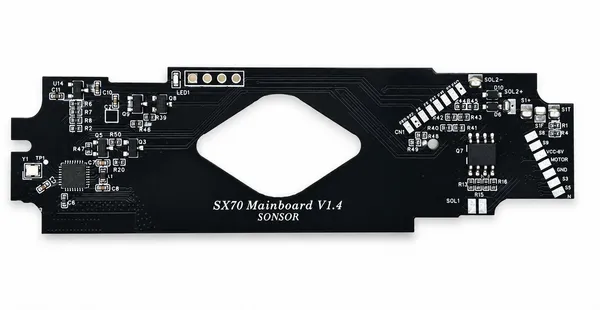
SX70 BLE Board (Sonar)
Bluetooth control board for SX-70 Sonar autofocus models
$65
$69
Loading secure payment...
Features
Feature Demo
Auto Metering Display
Real-time shutter speed display for precise exposure control.
T Mode (Time)
Press to start exposure, press again to end. Ideal for long exposures.
B Mode (Bulb)
Hold for exposure, release to end. Full manual control.
Manual Shutter Control
From 1/8000s to 25s slow shutter with 1/3 stop increments.
Electronic Frog Tongue
Delay ejection in bright conditions for greater shooting flexibility.
Compatible Models
Installation
Step 1: Open the Camera
Power off the camera and remove the film pack. Locate the four screws on the camera bottom and remove them carefully.
Step 2: Access the Mainboard
Gently separate the front and back panels. Disconnect the original mainboard from the camera body.
Step 3: Install the BLE Board
Connect the BLE board to the original mainboard's connector. Secure it with the provided screws.
Step 4: Reassemble
Reassemble the camera body and power on to test.
Frequently Asked Questions
Does it support 600 film?
Yes, optimized for 600 film. Enable "600 Film Mode" in the app.
Is it only for Sonar models?
This version is specifically designed for SX-70 Sonar autofocus models. For manual-focus models, choose the Original version.
How do I update firmware?
Update via the mobile app over Bluetooth (OTA). Navigate to Settings > Firmware in the app.
Is installation reversible?
Yes, the installation is completely reversible without modifying any permanent wiring.